One of my key goals as a researcher is to discover new and interesting ways to share my research. Academic papers have their place, but even I can get bored reading them (and it’s my job!). I want my research to be used, so communicating it in a variety of ways will help it reach the right people.
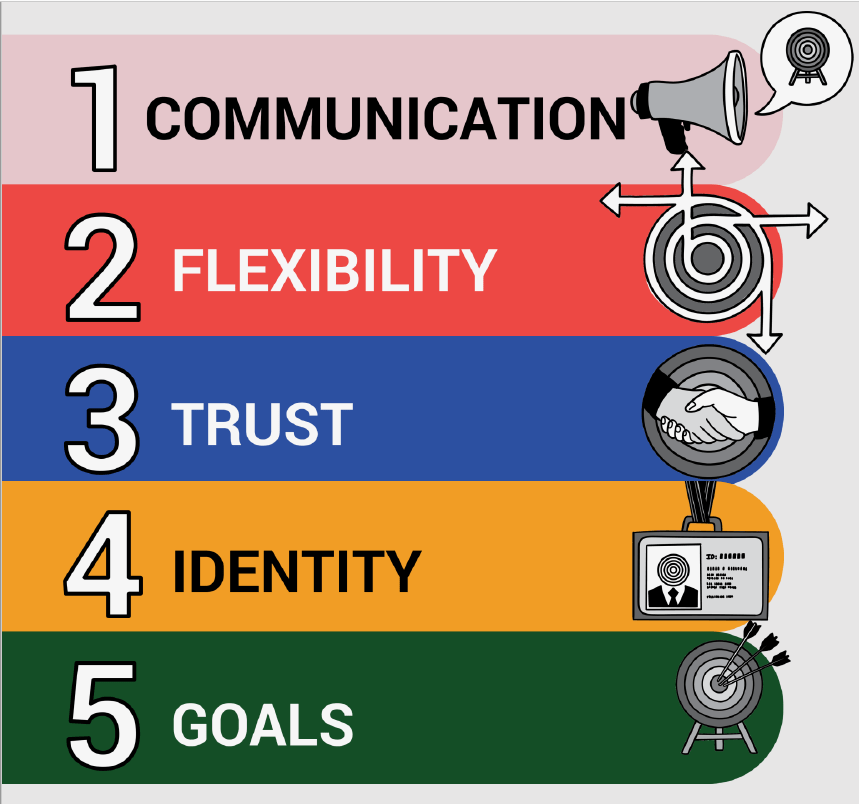
For my Psychology of Interoperability project, I had a go at making my first research animation. I used Videoscribe to create it, which allows you to make whiteboard style animations. I was pleasantly surprised by how easy it was!
Image: Copyright ©2023 R. Stevens / CREST (CC BY-SA 4.0)
Here are the steps I took. This isn’t necessarily the best way to do it, but it seemed to work well and I’m pleased with the output!
- Write the Script. I wrote a short script summarizing my research paper. I had read that videos should have no more than 130 words per minute, and I was aiming for under 3 minutes. I ended up with around 550 words, so closer to the 4-minute mark. But considering that this is based on an 8000-word paper, I felt like it was a good first attempt. My goal for my next video is to get it under 3 minutes!
- Draft a Storyboard. I created a table to start my storyboard. It was really simple with two columns – one for the script and one for the visuals. I then broke my script up into different sections and added these as separate rows. Each row represented a different “page” on my whiteboard animation. This helped me to start imagining what the animation might look like alongside the speech.
- Record Voiceover. I toyed with the idea of paying a professional to do the voiceover, but then I thought, well, it’s my research, so why not me?! I used Audacity to do the recording and just did it in my home office. One thing I didn’t think about was pausing in between the different sections of my script to allow for a transition period between the images. I had to edit the audio to add these in, but it’s something I’ll remember for next time.
- Create Animation. Once we had the voiceover recorded, it was time to create the animation. It’s best to record your voice first and then match the animation to your voice. It’s hard enough saying the script without tripping over your words, let alone trying to time it with some visuals! I recruited a fabulous research assistant who helped me with this. She’d never made animations before but worked through the online tutorials and did a great job.
- Share Animation Online. I created a YouTube channel to share my video online. This again was totally new to me, but super easy to do.
So finally… here is the video. I really enjoyed making it, and encourage anyone who is interested in making research videos to give it a go!
Hope you enjoy!
2 responses to “The Psychology of Interoperability – How I Made A Video Animation”
-
-
Ah thank you, Bill! I’d be thrilled if you used it. Please let me know how it’s received!
LikeLike
-


 Dr Nikki Power
Leave a comment